


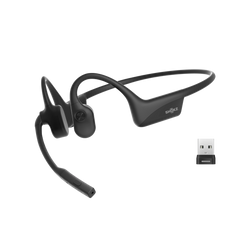
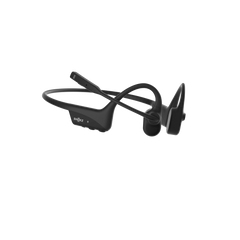


You’ve got your new clip on earbuds, but the fit still feels a bit off. Maybe they wobble as soon as you start moving, or they begin to pinch after a few minutes. You might even notice they’re sitting at a strange angle that makes your music sound slightly muffled. The good news: it’s rarely a fault with the earbuds themselves. Most of the time it’s just positioning — and you can usually fix it in about 30 seconds.
This guide breaks down how to get the fit right. We’ll walk through quick, practical steps, flag the common mistakes people make, and explain why a proper fit matters for more than comfort.
Part 1. Why Clip-On Earbuds Fit Matters for Comfort and Ear Health
Comfort is the obvious goal — but ear health matters just as much, especially if your clip on earbuds are on for long workdays, commutes, or training sessions. If they sit in the wrong place, that constant pressure can irritate your ear cartilage and leave you with soreness that hangs around. And if the clamping force is too tight, it can feel uncomfortable fast — even affecting circulation around the ear.
There’s also sound quality. Even a slightly awkward angle can dull the audio, which often leads people to turn the volume up higher than they should. That puts extra strain on your hearing. Getting the fit right isn’t just about stopping the pinch — it’s about protecting your ears long-term.
If you wear a headset daily, it also helps to know how to clean your headphones properly. Sweat and grime build-up can make irritation worse over time.

Part 2. How to Wear Clip-On Earbud Headphones in 5 Steps
It only takes a couple of minutes to learn. Once you’ve done it a few times, it becomes automatic — the kind of thing you sort out without thinking before a run or on the way out the door.
1. Identify Left and Right
Some clip-on designs can detect left vs right automatically. But plenty still rely on a tiny “L” and “R” on the shell, or subtle colour markings.
It’s worth checking. If you swap them, the stereo image feels weird — vocals and instruments land in the wrong places, and the whole track can sound slightly “off”.
2. Clip Onto Stable Cartilage
Aim for the antihelix — that firmer curved ridge of cartilage just in front of your ear canal. It’s the most reliable “anchor point” for stability. The battery section or tail should sit neatly behind your ear, following the natural shape of your head.
Avoid clipping onto the soft lobe or the very outer rim — those areas don’t hold as steady once you start moving.
3. Align the Speaker Toward the Ear Canal
Sound depends heavily on angle. You want the speaker opening pointed toward the entrance of your ear canal. If it’s rotated away, bass drops off and the music can feel thin or distant.
When you’ve got it right, you’ll notice it immediately — the audio sounds fuller and more present.
4. Set Gentle, Even Pressure
The clip should be secure enough to stay put during a sprint, but not so tight that it pinches. If your model allows adjustment, try tweaking the connecting arc — somewhere between 0 and 30 degrees from horizontal often works well.
You’re aiming for the sweet spot: stable, but comfortable for hours.
5. Do a 30-Second Fit Test
Before you head out, do a quick stress test. Shake your head side to side, nod a few times, and jog on the spot.
If they shift, or the sound cuts in and out, the fit still needs a small tweak. If everything stays stable and the audio remains consistent, you’re good to go.
Part 3. Signs Your Clip On Earbuds Aren’t the Right Fit
Fit problems don’t always show up the moment you put your gear on — they usually creep in once you’re a few kays down the track. Catching these red flags early saves you a heap of messing around later.
The clearest giveaway is constant adjustment. If you’re always reaching up to re-seat your clip on earbuds, something’s not right. It could be the clip angle, or the speaker isn’t lining up properly. Sometimes, honestly, the shape just doesn’t suit your ear. And if you’re getting a dull ache? That’s pressure hitting the wrong spot for too long.
Then there’s the audio. If the sound keeps shifting or dropping in and out as you move, the speaker is drifting away from where it should be. If one side sounds noticeably louder than the other, that’s another sign they’re sitting at different distances from your ear canal.
If the outside of your ear feels “worked” or irritated after a run, the clip is probably gripping too hard or rubbing against the wrong bit of cartilage. In that case, look for a model with a more flexible frame or softer silicone contact points to reduce friction and soreness.
Part 4. Tips for a Secure Fit During High-Intensity Activity
Even the best clip on earbuds can start to slide once the sweat really kicks in. A simple fix: wipe your ears dry before clipping them on. Any moisture can make silicone slippery, and they’ll start shifting right from the start.
Also watch your other kit. Caps, headbands, helmet straps, and even sunnies can bump your earbuds out of place if everything’s competing for the same space.
It’s worth doing a full “dress rehearsal” at home before you hit the trail or the gym — especially if you wear glasses. Some clip-ons sit better with frames than others, so make sure they’re not clashing with your arms, whether you’re in prescription specs or sports shades. Sorting it early saves a proper mid-session annoyance.
Part 5. Looking for the Best Clip On Earbuds Option?
Finding a pair that ticks every box is usually a balancing act — fit, sound, and battery life all matter, but which one comes first depends on how you’ll actually use them.
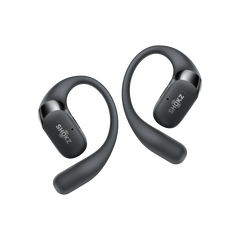
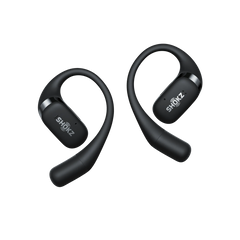
The Shokz OpenDots ONE is a strong example of what modern clip-on tech can deliver. At 6.5g per bud, they’re light enough that you’ll forget they’re there. The JointArc (the connector between the speaker and battery section) uses a titanium alloy, so it flexes to suit different ear sizes, then snaps back into shape — keeping your clip on earbuds secure without that annoying wobble.
Here’s why those features matter in real life:
- Skin-soft silicone coating: It helps the buds stay put through grip and contact, not just clamp pressure — so you get stability without the sore ear.
- Dynamic Ear Detection: No more squinting for “L” or “R”. Clip them on and they auto-detect left/right — handy when you’re rushing out the door.
- 10 hours of playback (40 with the case): Enough for all-day listening. Plus, a quick 10-minute charge can deliver up to 2 more hours when you’re running low.
- IP54 water resistance: Built for sweaty sessions and sudden weather changes — ideal when you’re training outdoors.
- Bluetooth 5.4 with multipoint pairing: Switch between your phone and laptop smoothly, without constant re-pairing drama.

Final Thoughts
Getting your clip on earbuds to sit correctly changes everything. Taking a few extra seconds to adjust them properly means you won’t be dealing with a bud that slips mid-session or that nagging ear ache 30 minutes later. It’s the difference between a workout that does your head in, and one where the music just flows.
If you follow the five steps we covered and watch for the early warning signs of a poor fit, you’ll be right. And if you’re still shopping around, something like the Shokz OpenDots ONE can make things much easier — the design does a lot of the work for you. At the end of the day, your ears (and your playlists) deserve a bit of extra care. Getting the fit spot on is always worth it.
Frequently Asked Questions
1. Do Clip On Earbuds Fall Off When Running?
Not if they’re fitted properly. The key is anchoring the clip to firm ear cartilage rather than the softer parts. A model like the Shokz OpenDots ONE stays put because the titanium frame and silicone contact points help keep everything stable. Do a quick head shake test — if they don’t budge, you’re sorted.
2. Should Clip On Earbuds Feel Tight?
Definitely not. They should feel secure, but they shouldn’t pinch. If your ears start throbbing after 20 minutes, try adjusting the angle and repositioning the clip point. A good fit relies on grip and friction, not pure clamping force. If they dig in, they’re probably too stiff for your ear shape.
3. Why Is One Earbud Quieter Than the Other?
Nine times out of ten, it’s just positioning. If one side sits even slightly further from your ear canal, the sound balance goes weird. First, shift the quieter one and re-align the speaker. If that doesn’t fix it, check the speaker grille for lint or wax — a quick clean usually sorts it out.
4. Why Do They Sound Quieter Than Traditional In-Ear Buds?
That’s normal — it’s part of the open design. Because models like the Shokz OpenDots ONE don’t seal your ear canal, you’ll always hear more of the world around you. That’s a big win for staying aware on busy streets and shared paths. You might need to nudge the volume up at first, but most people adjust to the open feel quickly.