






- Why Should You Clean Your Earbuds?
- How Often Should You Clean Your Earbuds?
- What You Need (and What You Don't)
- How To Clean Wireless Earbuds
- How To Clean Earbud Charging Case
- Common Mistakes To Avoid
- Final Tips
- FAQs
These days, your earbuds are pretty much always with you. In your ears on your morning walk, or in your gym bag after a workout, plugged in on the way to work, and probably with you at your desk at work.
All that use comes with a downside. Sweat, dust, skin oils and earwax gradually building up on your earbuds, even when they don't look particularly dirty.
Keeping your wireless earbuds clean doesn't have to be a chore. From sweat after a summer run to dust from your commute and earwax buildup over time, routine maintenance improves hygiene, sound quality, and your earbuds' lifespan.
Why Should You Clean Your Earbuds?
Cleaning your earbuds is much more than just aesthetics.
Keeping them clean will help in three main areas:
- Sound quality drops. Earwax and dust block the speaker mesh or sound outlet. The result is usually a muffled, quieter earbud, with one bud being quieter than the other.
- Charging becomes unreliable. The charging contacts on the earbuds and inside the case are tiny metal points. A film of oil, sweat residue, or dust between them will affect the connection. A common reason people think their earbuds are dying when they're simply dirty.
- Skin irritation and hygiene issues. Trapped moisture and bacteria against the skin can cause itchiness, irritation or odour — especially in hot, humid conditions or after a sweaty gym session.
For anyone using earbuds daily — runners, commuters, gym-goers — cleaning is less about cosmetics and more about performance and longevity.
How Often Should You Clean Your Earbuds?
It depends on how often and when you use them.
If you wear them once or twice a week, you probably won't need to clean them as often as someone who wears them daily.
A simple guide is:
| Your usage | Cleaning routine |
| Occasional listening | Every few weeks |
| Daily | About once a week |
| Regular exercise | Wipe after workouts, clean weekly |
| Lots of outdoor use | Check them regularly |
| Visible dirt or earwax | Clean straight away |
Think of it as two different jobs.
A quick wipe might take 30 seconds after a run. A proper weekly clean can take a few minutes and gives you a chance to check the speaker areas, microphones, charging contacts and case.
You don't have to make it a big production.
Tip: Get into the habit of wiping your earbuds down after sweaty sessions. This is the easiest way to prevent long-term buildup.
What You Need (and What You Don't)
You don't necessarily need a cleaning kit.
What to use:
- A dry, soft microfibre cloth (the type that comes with glasses is perfect)
- Cotton buds (cotton swabs) — for crevices, not for poking into speaker mesh
- A soft-bristled toothbrush or a clean, dry makeup brush
- A wooden toothpick or plastic toothpick for loosening wax at the edges
- Isopropyl alcohol (70%) applied lightly to a cloth — never poured directly
- Distilled water if a damp wipe is needed
What to avoid:
- Paper towels and tissues — they shed fibres that end up inside the sound outlets
- Compressed air — high pressure can push debris deeper or tear delicate speaker mesh
- Household cleaning sprays, bleach, acetone, nail polish remover
- Sharp metal tools — pins, needles, paper clips, metal SIM tools
How To Clean Wireless Earbuds
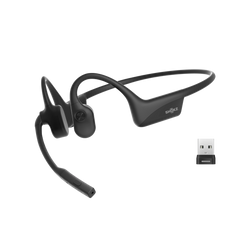
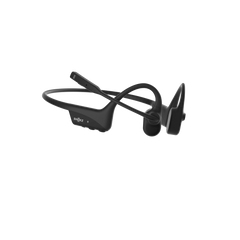
With Shokz's open-ear technology, their earbuds don’t go deep into your ear canal like traditional in-ear buds. However, they’re exposed to sweat, sunscreen, dust, and environmental grime.
Top tips:
1. Quick Wipe Down (Post Workout)
This is the most important step for active users.
- Remove your earbuds from your ears or from the charging case.
- Using your dry microfibre cloth, wipe down the entire outer surface, paying extra attention to the parts that touched your skin.
- Let them air-dry completely before you put them back in their case.
2. Cleaning The Speaker Areas
Dust and grime can build up on the speaker mesh or sound-output areas, muffling your audio.
- Using a dry, soft-bristled brush, very gently brush over the speaker openings. Gently use light strokes to help loosen any particles.
- Do not apply liquid directly to the mesh, as it can seep into the drivers.
- If stubborn flecks remain, remove them gently with a dry cotton swab, but don't push it into the hole.
3. Cleaning The Body And Contact Points (Ear Hooks And Clips)
You don't need to obsess over keeping your earbuds spotless. The idea is simply to stop small amounts of sweat, dust, lint and earwax from becoming a bigger cleaning job later.
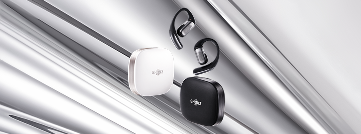
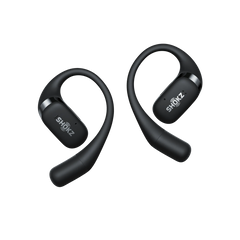
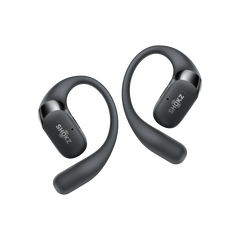
For example, using the OpenFit 2+ and OpenDots 2:
- The OpenFit 2+ uses an open-ear design with Ultra-Soft Silicone 2.0 and an ear-hook shape. Wipe the silicone areas that sit against your skin regularly, especially if you use the earbuds for exercise or wear them for long periods.
The earbuds have an IP55 water-resistance rating, but that doesn't mean they're suitable for swimming or showering. Keep the charging case away from excessive moisture, too.


- The OpenDots 2 takes a different approach with its clip-on design, contoured silicone, and JointArc. When cleaning the earbuds, quickly wipe the contact areas, speaker outlets, and microphones.
OpenDots 2 earbuds have an IP57 rating for water and dust resistance. This rating applies to the earbuds, not the charging case.


For both models, dry any damp areas with a dry part of the cloth immediately after wiping.
4. How To Clean Earwax From Earbuds
For open-ear models like the OpenFit 2+ and OpenDots 2, visible earwax is typically on the outer surfaces, rather than packed deep into a silicone tip.
- Check the surfaces that are nearest to your ear.
- Gently wipe any wax off with a dry microfibre cloth. For small, dried spots, lightly dampen the corner of your cloth with distilled water and dab them off, then dry the area immediately.
- Never scrape earwax off with a sharp tool. This can damage the finish, mesh, or internal parts.
How To Clean Earbud Charging Case
The charging case probably gets dirtier than you think.
If left uncleaned, lint, pocket fluff and moisture can transfer onto your earbuds and their charging contacts.
Step-by-step cleaning process:
- Empty The Case. Remove your earbuds and leave the case open.
- Remove Loose Debris. Flip the case over and gently tap it to dislodge any loose dust or lint. Then use a dry, soft-bristled brush to remove debris from the charging bays and crevices.
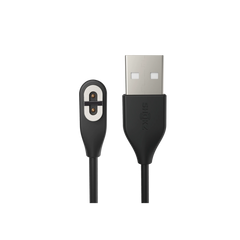
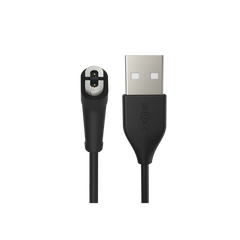
- Clean The Charging Contact Points. This area needs careful attention. Using a completely dry cotton swab or a dry, soft brush, gently clean the metal charging contacts inside the case and on the earbuds. Don’t use liquids on the contacts, as this can cause corrosion or connection issues.
- Wipe The Exterior And Interior. Using a microfibre cloth slightly dampened with distilled water, wipe down the inside walls of the case (avoiding direct contact with the contacts while damp) and the outside of the case. Immediately dry the case with a cloth.
- Dry Completely. Before you place your earbuds back in the case, let both the case and earbuds air-dry for a couple of minutes. Never close the lid whilst damp.
Common Mistakes To Avoid
Cleaning wireless earbuds can easily cause accidental damage if you're not careful.
| Mistake | Why To Avoid It | What To Do Instead |
| Submerging in water | Even water-resistant models aren't waterproof. | Only use a lightly dampened cloth. |
| Spraying cleaner directly | Liquids can seep into the case or drivers. | Spray onto a cloth, never onto the device. |
| Using alcohol, bleach or harsh sprays | Can strip coatings and damage plastics. | Stick to distilled water and a microfibre cloth. |
| Poking with sharp objects | Can puncture mesh, damage contacts or scratch your device. | Use a soft brush or dry cotton swab. |
| Cleaning whilst charging | Can be unsafe and increases the risk of moisture damage. | Unplug and remove the earbuds before cleaning. |
| Closing the case whilst damp | Traps moisture, leading to corrosion and mildew. | Always fully air-dry before closing. |
Final Tips
- Sunscreen & Sweat: If you wear sunscreen whilst working out, wipe your earbuds down after your session. Sunscreen can be sticky and attract more dust over time.
- Beach & Pool Days: Avoid exposing your Shokz OpenFit 2+ or OpenDots 2 to salt water or chlorinated water. If they do get exposed, rinse them by wiping with a damp cloth with distilled water, then dry them thoroughly as soon as possible.
- Storage: Keep your case in a clean, dry pocket or bag, rather than leaving it in hot cars. Australia's summer heat can be extreme, and excess heat paired with moisture isn't ideal for your battery.
And that's it.
By following this simple maintenance routine, you can keep your earbuds fresh so they sound their best and are ready for your next adventure—whether it's a coastal walk, a morning run around the block, or your daily Aussie commute!