






Searching for best sound quality headphones? Does your current headphones setup sound thin, harsh, or a bit muddy on that one track you love? The truth is, specs and fancy labels often look great online — then fall apart once you’re actually listening on the train, at your desk, or during a sweaty session at the gym.
This guide breaks down which technical features genuinely matter, how design choices change what you hear, and what to look for when choosing headphones for best sound quality — the kind that deliver clear vocals, controlled bass, and a balanced sound you’ll enjoy every day. No fluff, no marketing noise — just what helps you find best headphones for sound quality that won’t leave your music sounding flat.
Part 1. What Determines the Sound Quality of Headphones
Sound is never down to one “magic spec”. Real performance comes from multiple components working together — and these are the things that separate best quality sounding headphones from overhyped gear.
1. Driver Type and Tuning Quality
Drivers are basically the “engine” turning electrical signals into sound. The most common types are:
- Dynamic drivers (moving coil): usually stronger for bass and overall punch
- Balanced armatures (tiny reed systems): often sharper in the highs and detail retrieval
Bigger isn’t automatically better. A well-tuned 10mm driver can easily outperform a poorly built 15mm one. What matters most is tuning across the full frequency range.
Cheap gear often boosts bass to sound “exciting” in a quick demo, but it can drown out vocals and smear detail — that classic muddy sound. Good tuning keeps mids clean, vocals crisp, and bass punchy without becoming bloated.
2. Bluetooth Codec Support and Sound Clarity
Wireless audio needs compression to travel over Bluetooth. The baseline codec (SBC) works, but it’s basic. If you want better clarity and more detail, look for higher-quality codecs like aptX or LDAC — and remember: your phone and your headphones must support the same codec for it to actually kick in.
LDAC can transmit far more data than SBC, which makes a real difference on complex tracks where instruments fight for space. With basic codecs, those layers can blur together; with higher bitrate transmission, the soundstage stays cleaner and more separated.
3. Frequency Response, Impedance, and Sensitivity
Humans generally hear from 20Hz to 20kHz. Brands that claim a wider range are often just padding the spec sheet — what matters is how balanced and controlled the sound is within that human range.
- Impedance is electrical resistance. Most phones are happiest driving 16–32 ohms.
- Sensitivity is how loud your headphones get from a certain amount of power. Higher sensitivity means louder with less power, but it can also reveal hiss if your source is noisy or low quality.

Part 2. How Headphone Design Impacts Sound and Experience
Design affects not only comfort but also the way sound behaves around your ear — which matters a lot when you’re chasing headphones for best sound quality.
1. Open-Ear vs Closed-Ear: Balancing Awareness and Audio
Closed designs seal the ear canal to reduce outside noise and prevent sound leakage. With a good seal, bass usually feels deeper and more impactful — but you lose awareness, which isn’t ideal if you’re walking near traffic or commuting.
Open-ear designs sit outside the ear canal, letting ambient sound mix naturally with your music. That’s a big safety win for runners and commuters, and it feels less isolating in daily life. Bass depth won’t match a fully sealed design, but modern tuning and acoustic tech have narrowed the gap more than most people expect.
2. Earbud Fit and Seal for Optimal Bass and Clarity
With in-ear designs, sound quality lives or dies by the seal. No seal = bass disappears.
A common mistake is sticking with the default ear tips and never experimenting. A proper seal should feel secure with a light “suction” sensation — not painful, just stable.
If bass feels weak or vocals seem far away, you likely need a different tip size. Foam tips often seal better than silicone (especially for tricky ear canals), though they usually need replacing more often.
3. Materials and Build Quality Affecting Acoustics
Materials change how sound resonates inside the housing.
- Metal housings are rigid and help reduce unwanted vibrations
- Plastic housings can flex more, which sometimes adds colouration or reduces clarity
Better models use materials chosen to minimise acoustic interference.
Driver positioning matters too. Slightly angled drivers can direct sound more naturally into the ear canal. Poor alignment makes sound bounce around the outer ear first, which can reduce clarity and detail.
Part 3. Technology That Enhances Sound Quality and Listening Safety
Modern features can add serious convenience without trashing audio performance — especially when you’re chasing headphones for best sound quality that still make sense for everyday life.
1. Open-Ear Design to Hear Music and Surroundings
Today’s open-ear tech can deliver clear, usable sound while still letting you hear what’s going on around you — a big win if you’re walking near traffic, running along shared paths, or commuting in busy areas.
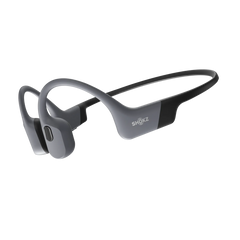
Instead of sealing your ear canal, open designs project audio through bone conduction or directional speakers that sit near the ear. The bass won’t feel as “sealed-in” as traditional in-ears, but clarity stays strong — especially in the mids, where vocals and most musical detail live. For many people, this balance is exactly what makes these headphones feel more practical day to day.
2. Noise Filtering AI While Preserving Sound Integrity
City noise can make people crank volume to levels that aren’t great for their ears. Noise-filtering AI approaches the problem differently from full-on noise cancelling: rather than blocking everything, it targets the annoying frequency bands where background din tends to sit.
That means your music can stay clear and natural. Traditional ANC can sometimes change the feel of audio through phase effects, but intelligent filtering focuses on reducing the “rubbish noise” without squashing the details you actually want. It’s a smart feature if you want best headphones for sound quality and you listen in loud environments.
3. High-Speed Chips for Stable, Clear Audio
Better chips do more than speed things up — they handle advanced codec decoding and wireless signal management so your audio stays stable. Cheaper processors can struggle in crowded areas (think busy stations, shopping centres, city streets), which leads to stutters, dropouts, and that infuriating “why did it cut out again?” moment.
Low latency matters too, especially for video and gaming. Modern chipsets reduce the lag that standard Bluetooth can suffer from, so your audio stays in sync with what you’re watching.
Part 4. Key Features to Look For in High-Quality Headphones
Sound matters most, but real-world usability is what makes you actually keep using your best quality sounding headphones instead of tossing them in a drawer.
1. Battery Life, Comfort, and Daily Usability
Long listening sessions need comfort that doesn’t fall apart after an hour. Pressure points are the main culprit, so weight distribution really matters. Lighter designs are usually the best option if you want to avoid fatigue over a full day.
Battery life should also outlast your longest commute or workday. Running out mid-trip is a pain, and while fast charging helps in a pinch, having enough overall battery capacity avoids the problem entirely.
2. EQ and Audio Settings for Personalised Sound
Everyone hears sound a little differently, so EQ is a must-have if you want your headphones for best sound quality to match your preferences. App presets are a quick shortcut, but manual EQ gives you much finer control.
The best systems adjust the curve in a balanced way — so you can boost bass or bring vocals forward without making the whole track sound weird or “overcooked”.
3. Accessories That Improve Fit and Reduce Interference
For in-ear models, foam tips usually create a tighter seal than silicone, which can improve bass and reduce outside interference. The trade-off is they wear out faster and need replacing once they lose their bounce.
Some kits include stabiliser fins for extra security if you’re moving around a lot. And a proper case is essential if you’re carrying headphones in a bag — crushed or bent gear rarely sounds the same once it’s been forced back into shape.
Part 5. Best Headphones for Sound Quality and Safety: Quick Recommendations
Below are a few hand-picked options that turn the tech we’ve covered into real-world results. The goal isn’t just “good audio on paper” — it’s headphones that sound great day to day, feel comfortable for long sessions, and keep you safer when you’re out and about.
1. Best Open-Ear for Running and Commuting
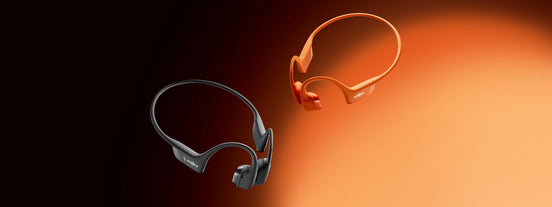
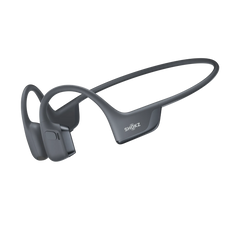
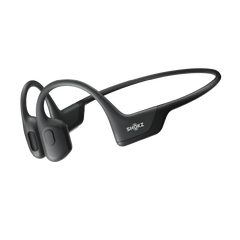
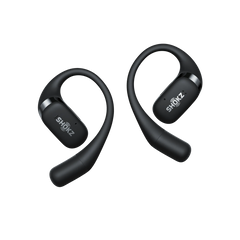
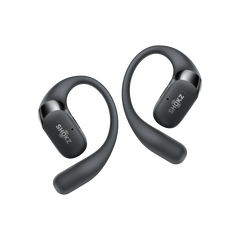
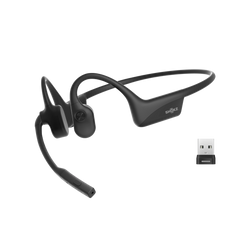
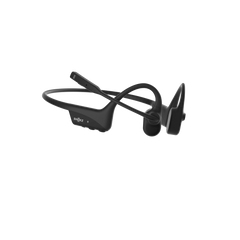
If you’re chasing best headphones for sound quality and you don’t want to lose awareness on busy roads or at a packed station, the Shokz OpenFit Pro is a standout. It pairs surprisingly full audio with an open-ear setup, powered by Shokz’ in-house DirectPitch™ tech — a strong pick for runners, walkers, and commuters who still want their music to sound clean and balanced.
Key features for real-world use:
- DirectPitch™ Technology: Uses dual 10mm dynamic drivers positioned near the ear canal to create a fuller sound than most open designs.
- Shokz SuperBoost™: Helps deliver smooth highs and deeper lows, so detail doesn’t get buried.
- Optimised for Dolby Atmos: Adds head tracking and spatial audio to make tracks feel more immersive.
- Active Open-Ear Noise Reduction: Helps your music cut through city noise without blocking the sounds you need to hear.
- Shokz Ultra-Soft Silicone™ 2.0: Nickel-titanium ear hooks stay stable while feeling almost “weightless”.
- 50 Hours of Total Playback: Around 12 hours per charge and up to 50 hours with the case — enough for a few heavy-use days.
At around 12.3g per bud, they’re light enough that you stop thinking about them quickly. The tuning focuses on vocal clarity while still keeping a satisfying bass presence. Treble detail stays crisp on acoustic tracks, and busy mixes keep better separation than you’d expect from open-ear gear — which is exactly why they deserve a spot on any list of best sound quality headphones for active use.
The sound stays balanced without harsh upper frequencies, and call quality is strong too, thanks to dual-mic noise reduction that keeps your voice clearer in breezy conditions.
2. Best In-Ear for Balanced Sound and Awareness
The Jabra Elite 10 Gen 2 is a solid all-rounder if you want in-ear isolation with adjustable awareness. Its semi-open design lets you control how much ambient sound comes through, which makes it a practical option when you want headphones for best sound quality without feeling completely cut off.
You get Spatial Sound processing and top-tier ANC, plus multipoint connectivity that can handle multiple devices at once. HearThrough mode is especially handy when you need to stay alert without constantly pausing music or pulling an earbud out.
3. Best for Workouts Where Bass Is a Must
If your priority is a big low-end hit for training, the Beats Powerbeats Pro 2 leans heavily into bass. The secure over-ear hooks are made for aggressive movement, and the tuning is unapologetically punchy — ideal for gym sessions where you want that extra drive.
It also offers solid sweat resistance, but if you’re after a more neutral, studio-style profile (the kind people often expect from best quality sounding headphones), this one may feel a bit “too much” and you might prefer a more balanced option.
Part 6. Easy Tips to Improve Your Listening Experience Today
You don’t need to buy new headphones to get better sound straight away. A few small tweaks can make a noticeable difference — especially if you’re trying to squeeze more performance out of your current setup and chase that best sound quality headphones experience.
1. Use EQ to Boost Bass and Clarity
Start with a preset that matches your taste, then make small adjustments. The golden rule: avoid massive boosts. If you crank sliders too far, you’ll introduce distortion and make everything sound harsh or fake.
Aim for gentle curves that feel natural — a little lift for bass warmth, a touch of presence for vocals — rather than sharp spikes that turn your music into an over-processed mess.
2. Adjust Tips or Placement for Better Fit and Sound Seal
Don’t test fit while sitting perfectly still — move around. Real fit problems show up when you’re walking, talking, or turning your head.
If you’re using in-ears, the right tip size should keep a consistent seal even when you move your jaw. If the bass drops out as soon as you speak or chew, the seal isn’t right yet — and you won’t get the full benefit of best headphones for sound quality no matter how good your drivers are.
3. Reduce Wind or Background Noise with Accessories and Settings
In-ear users often lean too heavily on ANC when they should focus on seal first. A good physical seal reduces noise naturally and helps your music sound fuller.
For open-ear fans, foam windscreens can be a lifesaver on breezy days — especially along the coast or on exposed paths. And in many outdoor situations, transparency/awareness modes can actually sound cleaner than full cancellation, because they don’t interfere with the music’s natural “air” and space — which matters if you’re chasing headphones for best sound quality outdoors.
4. Upgrade Your Source: Switch to Lossless or High-Bitrate Streaming
There’s no point owning best quality sounding headphones if you’re feeding them low-bitrate audio. Premium streaming tiers are a big jump up from free versions, and decent headphones will instantly reveal the limits of compressed files.
Lossless is where you really start to hear the recording’s detail — especially in complex music where every instrument needs its own space, like orchestral tracks or layered electronic production.
5. Regular Cleaning: How Earwax and Dust Degrade Driver Performance
Earwax isn’t just a hygiene issue — it literally blocks sound and can impact clarity over time. A quick weekly clean helps keep performance from dipping.
Remove the tips, clear debris from the mesh screens, and keep liquids well away from the drivers. Also check the charging pins: a tiny bit of dust there is one of the most common reasons for those annoying charging or connection hiccups.

Final Thoughts
Landing best sound quality headphones isn’t about chasing the biggest numbers on a spec sheet. It’s about how driver quality, codec support, and a proper fit actually handle your everyday listening — from morning commutes to a quick session at the gym.
Open-ear options like the Shokz OpenFit Pro are a top pick if you need awareness around traffic, shared paths, or busy stations, while sealed designs still win for pure immersion and maximum isolation. At the end of the day, matching your headphones to your real lifestyle will always beat a flashy marketing label.
Frequently Asked Questions About Best Sound Quality Headphones
1. What Makes Headphones Have Good Sound Quality?
A balanced frequency response is the foundation. Quality drivers reproduce bass, mids, and treble without one area drowning out the others. Proper tuning avoids harsh peaks and muddy lows, while solid build quality helps prevent unwanted resonance that can colour the sound.
2. Does Higher Hz Mean Better Audio Quality?
Not really. Anything beyond 20Hz–20kHz doesn’t improve what you actually hear. What matters is how smooth and balanced the response is inside that range. A pair that handles 20Hz–20kHz well will beat a set claiming 5Hz–40kHz if its tuning is uneven.
3. How Does Open-Ear Design Affect Sound?
Open-ear designs let ambient noise mix with your music, which improves safety and awareness. Bass feels different because there’s no ear-canal seal, but brands like Shokz tune their headphones for best sound quality to keep audio rich and clear while still letting you hear what’s happening around you.
4. How to Maintain Sound Quality Over Time?
Clean tips weekly so wax doesn’t block the sound. Use a protective case, and keep charging contacts free of dust. Replace foam tips once they stop bouncing back, and avoid max volume for long periods to reduce the risk of driver wear.
5. Does Transparency Mode Affect Audio Performance?
On high-quality models, it causes little to no loss in sound. Transparency simply mixes microphone input with your music. But cheaper implementations can add hiss or mess with balance.
With the Shokz OpenFit Pro, the open-ear structure provides natural awareness without relying heavily on microphone processing, which helps avoid those common transparency-mode sound issues — a practical reason many people rate it among the best headphones for sound quality in open designs.