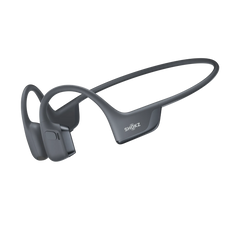
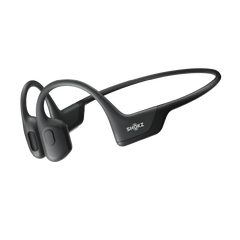

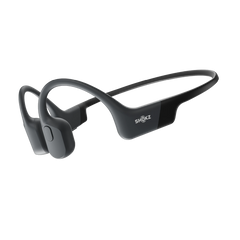
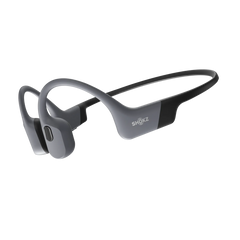






- What Are Ear Hook Earbuds?
- How to Wear Ear Hook Earbuds Correctly
- How Should Ear Hook Earbuds Fit?
- How to Pair Ear Hook Earbuds to Your Phone
- Connect Your Earbuds to Two Devices
- Learn the Everyday Earbud Controls
- How to Charge Ear Hook Earbuds
- How to Get a More Comfortable and Stable Fit
- Common Ear Hook Earbud Mistakes to Avoid
- Using Ear Hook Earbuds for Different Activities
- FAQs
Ear hook earbuds look dead simple. Two hooks, two speakers, pop them on and off, and you're good to go. But the first time you try a pair, you usually fumble a bit. Where does the hook go? Does the speaker sit inside your ear or just near it? How tight should this actually feel? And once they're fitted, how do you pair them with your phone?
It actually doesn't take long to get the hang of it. Once you know how to put on ear-hook earbuds, find the right position and connect them to your devices, they’ll become an easy part of your everyday routine.
This guide explains how to wear ear-hook earbuds correctly, pair and connect Shokz models, use the everyday controls, charge them, and improve comfort and stability.
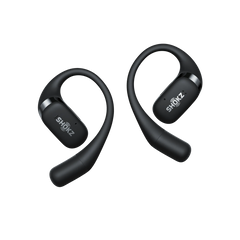
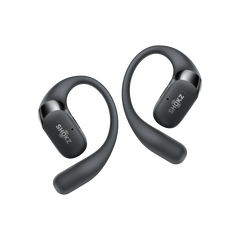
We will use models like the OpenFit Pro, OpenFit 2+, and OpenFit Air 2 to show you how easy setup can be.
What Are Ear Hook Earbuds?
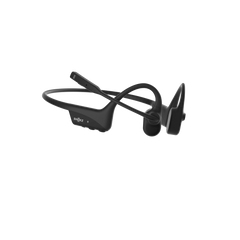
They're not designed to plug your ears shut, which is really the whole point. Instead of pushing into the ear canal as many earbuds do, ear-hook designs sit around the outside of the ear. The speaker sits near the opening rather than sealing it, and a small hook keeps everything in place.
Because your ear canal stays open, you can hear the kettle, a car horn, someone talking to you, whatever's going on around you while you're still listening to your podcast.
And just to clear up: ear-hook earbuds and bone-conduction headphones aren't the same thing, even though Shokz makes both. OpenFit earbuds use air conduction, meaning sound travels through the air near your ear rather than through vibrations in your cheekbones.
How to Wear Ear Hook Earbuds Correctly
Learning how to put on ear hook earbuds takes just a few seconds once you know the basic motion. Follow these simple steps to get it right every time:
- Identify left and right: Check the small L and R markings inside the casing so you start with the correct side.
- Position the speaker: Hold the earbud so the main speaker driver faces towards the front of your ear opening.
- Place the hook around your ear: Gently slide the flexible hook over the top and down behind your ear, letting it rest in the natural groove where your ear meets your head.
- Adjust the angle: Rotate the speaker body slightly until it sits comfortably near your ear canal without pushing into it.
- Check stability: Give your head a gentle shake or take a few paces.
The earbuds should stay put without pinching. The goal is to feel secure, not squeezed. Models like the OpenFit Air 2 feature an ultra-flexible 0.75 mm Ni-Ti alloy wire inside the hook designed to adapt to the shape of your ear


How Should Ear Hook Earbuds Fit?
With a good fit, you don’t even know you’re wearing earbuds.
Your ear-hook earbuds should:
- Stay in place while walking or exercising
- Feel secure without putting excessive pressure on your ear
- Keep the speaker consistently positioned near your ear
- Produce clear, balanced sound
- Remain comfortable during long listening sessions
If an earbud keeps slipping, don't assume you need to wear it tighter right away. Try changing the angle or position first.
It's also worth testing the fit while you're moving. A pair that feels perfect while you're sitting at your desk may need a small adjustment once you're walking or running.
How to Pair Ear Hook Earbuds to Your Phone
Pairing your earbuds is usually a one-time job, though the exact process can vary by model.
For OpenFit Pro and OpenFit 2+, first-time pairing begins when you open the charging case. For subsequent pairing, place both earbuds in the case, then press and hold the case button for 3 seconds until the orange and green indicators flash. Then select the relevant Shokz model in your phone's Bluetooth settings.
The basic process is:
- Make sure the earbuds are charged.
- Open the charging case.
- Put the earbuds into pairing mode if necessary.
- Open Bluetooth settings on your phone.
- Select your Shokz earbuds.
- Wait for the connection to complete.
- Play some audio to check the connection.
OpenFit Air 2 also supports Google Fast Pair and Microsoft Swift Pair on compatible devices, which can speed up the initial connection.
Quick tip: Can't find your earbuds?
Try these simple checks:
- Make sure Bluetooth is switched on.
- Check that the earbuds have enough charge.
- Keep the earbuds close to your phone.
- Disconnect them from another nearby device.
- If necessary, remove the existing Bluetooth connection and pair again.
For more help, see the Shokz guide to connecting and pairing headphones.
Connect Your Earbuds to Two Devices
Two-device connectivity can be particularly handy if you use your earbuds for both work and everyday listening.
For example, you could keep your laptop connected for work and your phone connected for calls. Shokz's OpenFit Pro, OpenFit 2+ and OpenFit Air 2 support multipoint connections to two devices, with setup managed through the Shokz App.
That means less time disconnecting, reconnecting and searching through Bluetooth menus.
Learn the Everyday Earbud Controls
Once your earbuds are fitted and connected, spend a few minutes learning the controls. It will save you from reaching for your phone every time you want to make a change.
Depending on the model and your settings, controls can include:
- Play or pause music
- Skip tracks
- Adjust volume
- Answer or end calls
- Reject calls
- Activate a voice assistant
- Access other functions assigned in the Shokz App
Controls aren't identical across every OpenFit model, so check the instructions for your specific earbuds.
OpenFit Pro, for example, uses physical multifunction buttons and lets you customise their functions through the Shokz App. OpenFit Air 2 also uses pressure-sensitive buttons, with functions you can customise in the app.
OpenFit 2+ combines physical multifunction controls with touch controls, giving you another way to manage everyday listening.
The best approach is to learn the few controls you use most often rather than trying to memorise every individual function on day one.


How to Charge Ear Hook Earbuds
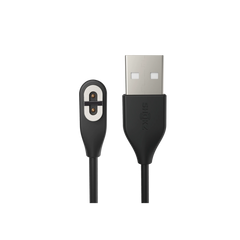
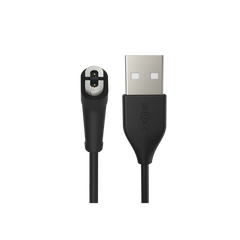
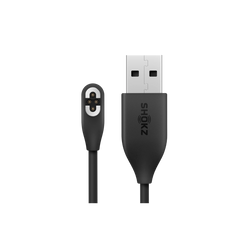
Keeping your gear powered up is straightforward. Return the earbuds to their charging case, ensure the magnetic contacts line up, and close the lid. When the case battery runs low, plug it into a standard USB-C cable.
- OpenFit Pro: Delivers up to 12 hours of playback on a single charge, and up to 50 hours total with the case (ANC off). It also supports Qi wireless charging.
- OpenFit 2+: Offers up to 11 hours of battery life, extending to 48 hours with the wireless-charging-compatible case.
- OpenFit Air 2: Gives you up to 8 hours per charge, with 36 hours total from the case. A quick 10-minute top-up provides up to 3 hours of listening time.


How to Get a More Comfortable and Stable Fit
- Start with clean, dry ears: Wipe away sweat or moisture before putting on the earbuds, especially before workouts.
- Let the hook find its natural curve: Avoid forcing or pulling the hook tightly around your ear; let it drape naturally.
- Keep positioning symmetrical: Make sure both speakers sit at the same angle relative to your ear canals for balanced stereo sound.
- Adjust the position before raising the volume: If the audio feels faint, gently nudge the speaker closer to your ear canal rather than cranking up the volume.
- Pick the right model for your style: Lightness matters for long wear. The OpenFit Air 2 weighs just 7.2 grams per earbud, making it ideal for all-day comfort.
Common Ear Hook Earbud Mistakes to Avoid
-
Mistake 1: Jamming the speaker inside your ear canal.
- Instead: Let the speaker rest just outside the canal opening.
-
Mistake 2: Pulling the ear hook too tight.
- Instead: Aim for a secure, weightless drape rather than direct pressure.
-
Mistake 3: Turning up volume to fix a quiet fit.
- Instead: Reposition the earbud angle first to restore clear audio.
-
Mistake 4: Pairing while still connected elsewhere.
- Instead: Disconnect from existing devices or use the Shokz App to switch.
-
Mistake 5: Skipping firmware updates.
- Instead: Open the Shokz App occasionally and keep your earbuds' software up to date.
Using Ear Hook Earbuds for Different Activities
Ear-hook earbuds adapt easily across different parts of your day:
- Walking and commuting: Open-ear listening lets you hear traffic horn warnings, train announcements, and oncoming cyclists while keeping your favourite podcast playing.
- Exercise: Sweat resistance and ergonomic hooks keep the fit rock-solid during gym sessions, trail runs, and outdoor training.
- Working from home: Multipoint pairing lets you switch seamlessly between laptop conference calls and mobile calls.
- Travel: Long battery life and compact charging cases ensure reliable audio on long flights and transit rides.
Getting the basics right first makes all the difference. Once you find your ideal fit and master the simple controls, open-ear earbuds will become an effortless part of your daily routine.
You can explore the full open-ear range on the Shokz Australia website or browse through the OpenFit range if you want to compare the three side by side.